How I Use AI in My Design Business
How I use AI in my design business is a question I want to address.
Partly because I believe in transparency, but also because I think there is a lot of confusion around what AI is actually doing inside professional design practices. The conversation has become so polarized that sometimes disclosure starts to feel less like sharing information and more like making a confession.
That is not how I view it.
I have never hidden my use of technology. Throughout my career I have embraced new tools as they emerged, from CAD and 3D modeling to rendering software, virtual reality, and now AI. These tools have changed how I work, but they have never replaced the expertise, judgment, or responsibility behind the work.
What follows is simply an explanation of my workflow. In the same way a structural engineer might explain their role on a project, I want to explain where AI fits into mine.
This is not about defending the use of AI. It is about understanding how the work gets done.
AI has become one of the biggest conversations happening in the design industry right now, and I understand why. Depending on who you ask, AI is either going to replace creative professionals entirely or it is all overhyped nonsense. The truth, at least from where I sit, is somewhere in the middle.
I decided to write this article because I have been paying attention to the conversations happening around AI, both within the design industry and among homeowners. There is a growing skepticism around images, portfolios, marketing content, and even written communication. People are trying to figure out what is real, what is generated, and where expertise still fits into the picture.
I understand those concerns. I have some of them myself.
I also believe transparency matters. Rather than pretend AI doesn’t exist or avoid the conversation entirely, I would rather explain exactly how I use it, where it helps, where I draw the line, and why I still believe professional judgment matters.
For me, AI has become another tool in my existing tech stack. It has not replaced my design software, technical knowledge, or decision-making. I am still creating the floor plans, elevations, 3D models, renderings, and construction drawings. I am still responsible for every recommendation, every design decision, and every deliverable that leaves my office.
What has changed is the workflow surrounding that work.
TL;DR: How I Use AI
I use AI for:
- Meeting recording and transcription
- Project organization and documentation
- Client wish lists, scopes, and deliverables
- Researching zoning, permitting, and jurisdictional requirements
- Code and permit checklist cross-referencing
- Website back-end and SEO
- Educational content and presentation organization
- Project search and information retrieval
- Visualization and concept exploration
- Design style and material exploration
- Paint color and finish studies
- 3D model creation for custom fixtures and furnishings when needed
- Product photo editing and background removal
- Rendering enhancement & Post Production
- Communication organization
What AI Is Not Doing:
- Designing floor plans
- Creating elevations
- Making design decisions
- Solving space planning problems
- Replacing technical drafting
- Managing client funds or financial transactions
- Making purchasing decisions
- Replacing professional judgment or accountability
- Creating images that do not represent my work
The Conversation Around AI Is Moving Faster Than Most People Realize
Just a few years ago, most of us were experimenting with image generators as inspiration tools. At the time, I was heavily involved in virtual spaces and metaverse projects, and I even incorporated Midjourney instruction into some of my monthly webinars. Back then, it felt more like an advanced Pinterest tool. It was useful for style exploration, brainstorming, and helping visualize ideas that were still very loose and undefined.
Now everything has evolved far beyond images. Between chat systems, research tools, workflow automation, and AI-assisted visualization, these tools are becoming integrated into professional workflows in ways that would have sounded unrealistic only a few years ago.
At the same time, I think many different conversations are being grouped together under the same label.
There is a significant difference between someone generating a fantasy image from a prompt and presenting it as a completed design project versus a designer using AI within an existing professional workflow to support research, communication, organization, visualization, or presentation.
That distinction matters because the value in design was never simply the ability to generate an image.
The value has always been judgment.
It is understanding what makes sense for a particular client, property, budget, lifestyle, or project. It is knowing what is technically feasible, what supports the architecture, what creates emotional impact, and what can actually be built in the real world. AI can generate endless ideas. What it cannot reliably do is determine which ideas are worth pursuing. That part is still the designer’s job.
How AI Supports My Business
One area that often gets overlooked in conversations about AI is how useful it can be behind the scenes.
The majority of my AI usage is not actually designing homes. It is supporting the countless tasks that surround the design process.
I use AI to help organize project information, process meeting recordings, create project scopes, develop wish lists, draft documentation, review permit requirements, refine website content, improve SEO, organize research, and retrieve information that might otherwise be buried in months of emails, notes, and documents.
In many ways, it functions like an administrative assistant, research assistant, editor, and organizational tool all rolled into one.
I also use conversational AI as a sounding board.
Sometimes I am working through a business decision. Sometimes I am writing an article like this one. Sometimes I am organizing complex project information or evaluating different approaches to a problem.
The value is not that the software tells me what to think.
The value is that it helps me organize my thoughts, identify blind spots, and communicate more clearly.
This article is actually a good example of that process. The opinions, experiences, and conclusions are mine. AI helped me organize those thoughts and communicate them more effectively.
How AI Supports My Design Process
Clients are already using AI before they ever contact me. They are generating inspiration images, testing ideas, and trying to visualize what they like. I think that can be very helpful.
One of the hardest parts of the beginning of a project can be sorting through ideas, Pinterest overload, HGTV expectations, and figuring out what a client actually wants. These tools can help narrow some of that down before we even begin.
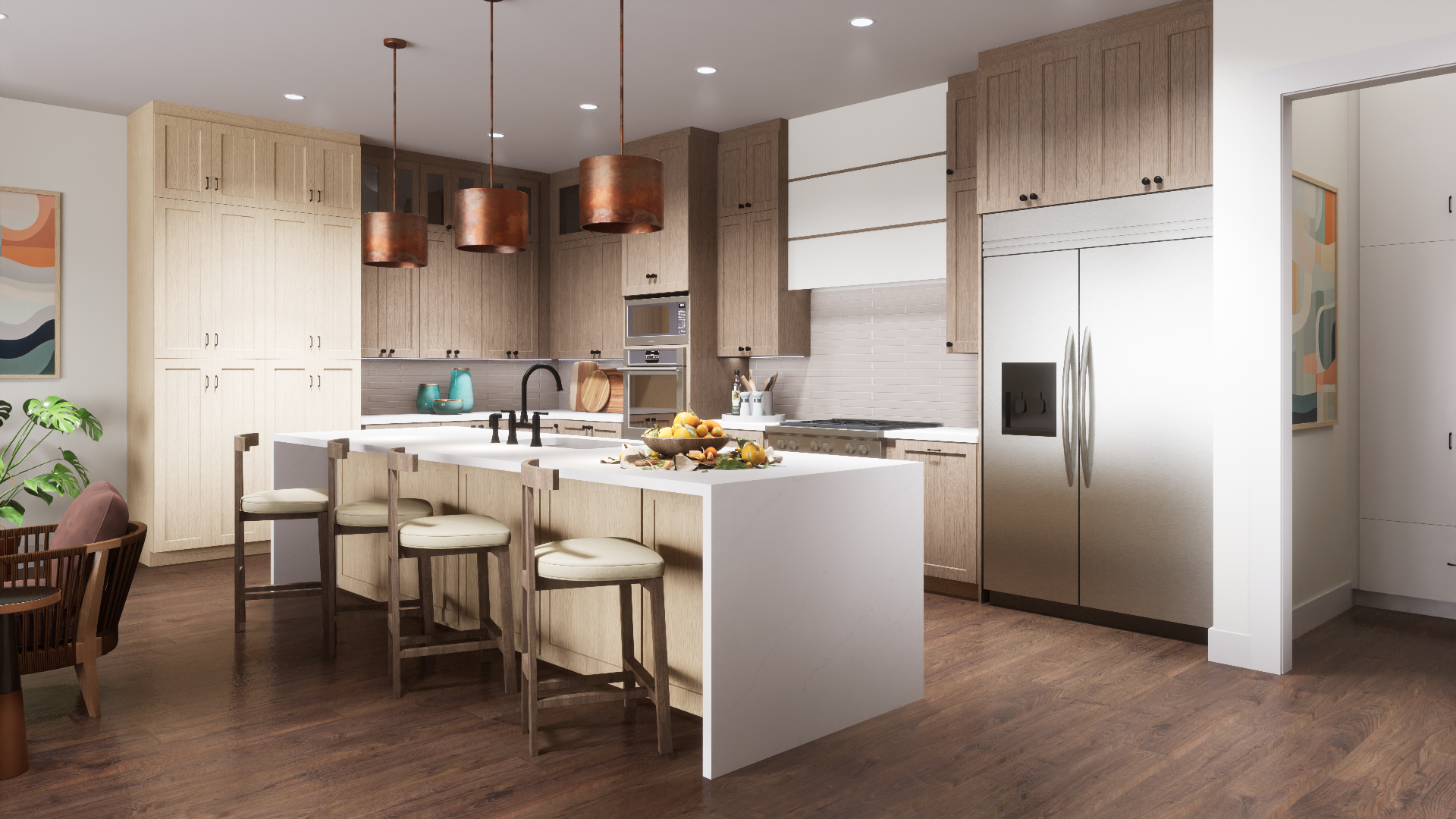
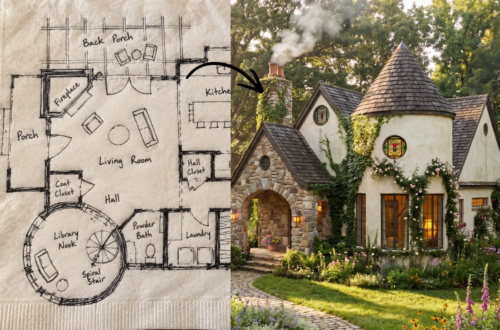
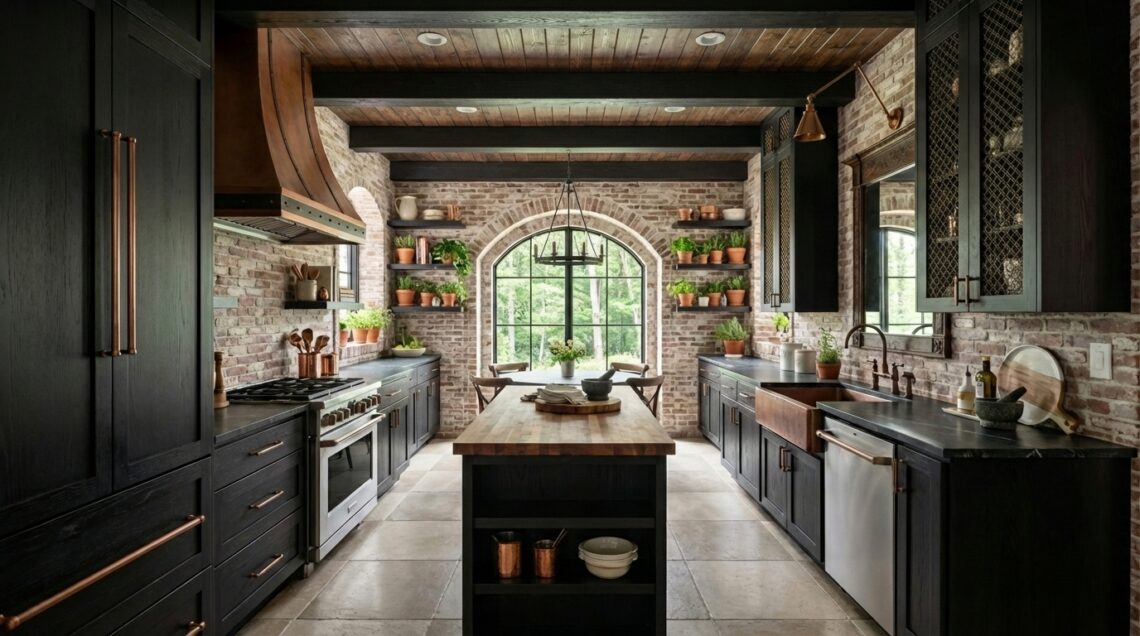
I also use AI to explore design ideas within projects I am already developing. Sometimes I will run one of my 3D models through AI to explore material options, paint colors, architectural details, furnishings, or stylistic variations. I use it to test possibilities, not to make decisions.
The important thing is that I am directing the process.
I start with the floor plan, the model, the design concept, and the problem I am trying to solve. AI helps me evaluate possibilities more quickly, but it is not creating the design for me.
I also use AI for production tasks that used to consume a tremendous amount of time. Things like creating custom 3D models when a specific fixture cannot be found, removing backgrounds from product images, changing finishes, testing materials, or creating visualization studies.
These are not necessarily the most creative parts of the process, but they are often the most time-consuming.
How AI Has Changed My Rendering Workflow
This is probably the area where I have experienced the biggest shift.
For years, rendering involved endless hours searching for textures, building material libraries, placing entourage, creating landscaping, adjusting lighting, tweaking render settings, and trying to push images beyond that slightly artificial feeling that computer-generated imagery often had.
I spent years learning those skills.
I studied lighting. I studied composition. I learned cameras, materials, rendering engines, and visual storytelling. Those skills became a major part of my professional identity, so I would be lying if I said the rise of AI did not create some complicated feelings.
I have genuinely wrestled with feeling like I am cheating.
There are moments when it feels strange to watch a tool accomplish in minutes what once took hours of work.
At the same time, I cannot ignore the results.
The images are more immersive, more realistic, more cinematic, and more effective at helping clients understand the design. Builders can better understand the intent. Clients can better visualize the finished project. The presentations are stronger.
What finally helped me make peace with it was realizing that AI is not replacing the foundation of the work.
The architecture is still mine.
The floor plan is still mine.
The model is still mine.
The materials, camera views, lighting direction, composition, and design intent are still mine.
AI is helping me communicate ideas that already exist.
Ultimately, my goal has not changed. My job is to create thoughtful, buildable designs and communicate them as clearly as possible. AI has not changed that goal. It has simply changed some of the tools I use to achieve it. Using AI as a tool in this way is no different than any other tool in my tech stack.
Why I Don’t Label Every Image With the Tools Used
Another question that comes up frequently is whether AI-assisted images should be individually labeled.
My approach is simple: I believe in transparency, which is why I am openly explaining my workflow here. At the same time, I do not believe every image requires a detailed list of the software and tools used to create it.
All of my presentation imagery is clearly represented as renderings, visualizations, or conceptual design imagery. They are not presented as photographs of completed projects.
The reality is that modern design visualization often involves multiple tools working together. A single image may involve drafting software, 3D modeling software, rendering software, photo editing software, material libraries, image enhancement tools, and AI-assisted tools. The final image is the result of an entire workflow, not a single button press.
For me, the important distinction is authorship.
If an image is presented as my design work, then the design, model, creative direction, material selections, and overall vision should genuinely be mine.
That is very different from generating a random image from a text prompt and presenting it as a completed project or professional portfolio piece.
When I use AI to explore ideas, test concepts, enhance renderings, create supporting models, or improve presentation imagery, it is being used within a larger design process that I direct and control. The final responsibility for the work remains mine.
I believe clients deserve honesty about how work is created. I also believe professionals deserve the right to maintain proprietary workflows, processes, and methodologies that they have spent years developing, myself included.
I am open about the fact that I use AI and the role it plays in my workflow. I am also open about the software I use in general and regularly teach other professionals many of the techniques I use in my own practice. I am not hiding anything.
At the same time, I do not believe every deliverable requires a detailed list of every tool involved in its creation. A professional workflow may involve dozens of pieces of software, plugins, libraries, and production tools working together behind the scenes. You don’t ask a chef to list every utensil, appliance, and pan used to prepare a meal. What matters is the quality of the final result and the expertise behind it.
My goal is not to hide the use of AI. My goal is to be transparent about how it fits into my process while keeping the focus where I believe it belongs: on the quality, accuracy, and integrity of the final work.
Where I Draw the Line
Because I have talked openly about using AI, I also think it is important to be clear about where I draw the line.
I am interested in AI as a creative, organizational, and visualization tool. I am not interested in handing over professional judgment, financial responsibility, or client trust to a tool that cannot actually be held accountable.
I no longer offer procurement services, but if I did, I would never use unsupervised AI agents to manage client funds, vendor payments, resale certificates, tax information, or financial transactions.
AI may be helpful for organizing information or drafting documentation, but anything involving legal responsibility, financial accountability, or client trust still requires human oversight.
I think there is a tremendous amount of anxiety, speculation, and marketing noise surrounding AI right now, and designers should be cautious about making decisions based on either fear or hype.
Some people insist AI will replace entire professions overnight. Others insist anyone who uses AI at all is somehow abandoning creativity or expertise.
I do not agree with either position.
Like every major technological shift I have experienced throughout my career, AI is simply another tool. I mean, we barely had email when I started my career and we were still doing construction drawings by hand. The value does not come from the software. The value comes from the person using it.
Some professionals may choose not to use AI at all, and I respect that choice. My experience has been different. I have found that these tools help me research, organize, communicate, and visualize more effectively. Like any tool, their value depends entirely on how they are used and who is directing them.
I also believe in transparency, which is why I am openly explaining my workflow here. At the same time, I do not believe every rendering requires a detailed list of every software tool involved in its creation. My images are clearly presented as renderings and visualizations, not photographs, and I remain responsible for the design, technical accuracy, and creative direction behind them.
Why Human Judgment Still Matters
At the end of the day, I still care about the same things I always have.
I care about thoughtful design. I care about technical problem solving. I care about storytelling, communication, and helping clients truly understand a space before it is built.
AI can absolutely be useful. It can absolutely improve workflows.
What it cannot replace is judgment.
It cannot replace experience. It cannot replace accountability. It cannot replace the responsibility that comes with advising clients, solving problems, and creating designs that have to function in the real world.
The tools will continue to evolve.
My creativity, attention to detail and connection to my clients remains.

Annilee B. Waterman is a Certified Professional Building Designer and Registered Interior Designer specializing in custom home design, architectural visualization, and immersive virtual experiences. With over 25 years of experience in the design industry, she integrates emerging technologies into professional workflows while maintaining a strong focus on technical accuracy, buildable design, and visual storytelling.
She works remotely with homeowners, builders, architects, and design professionals across the United States.
Frequently Asked Questions About AI and My Design Process
Do you use AI in your design business?
Yes.
I use AI as part of my professional workflow for research, project organization, documentation, communication, visualization, rendering enhancement, website content, SEO, and educational materials. It helps me work more efficiently and spend more time focused on design, problem solving, and client communication.
Do you use AI to design houses?
No.
AI does not create my floor plans, elevations, roof designs, site plans, construction drawings, or space planning solutions. Those decisions come from my education, professional training, technical knowledge, and more than 25 years of experience in the design industry.
AI may help me organize information or explore ideas, but the design itself remains my responsibility.
If I can generate images with AI myself, why would I hire a designer?
Because generating an image and designing a buildable project are two very different things.
A successful project requires site analysis, zoning research, building code considerations, space planning, structural coordination, technical documentation, budgeting considerations, and professional judgment.
AI can generate ideas. It cannot reliably determine which ideas will actually work for a specific property, budget, family, or project.
Are your renderings created entirely with AI?
No.
My renderings begin with my own floor plans, elevations, and 3D models. I create the architecture, materials, camera views, lighting direction, and overall design.
AI is sometimes used during the visualization process to explore ideas, create supporting assets, enhance realism, or improve presentation imagery. The underlying design and technical work remain my own.
Are AI-generated images always accurate?
No.
This is one of the biggest misconceptions about AI imagery. AI can create beautiful images very quickly, but beautiful does not automatically mean accurate.
AI-generated images frequently contain unrealistic proportions, impossible structural conditions, inaccessible layouts, construction details that would not work in the real world, or products and materials that do not actually exist.
That is one reason I always start with real floor plans, elevations, and 3D models. When I use AI during visualization, I carefully review the results to ensure they accurately represent the design intent and remain consistent with the underlying project.
How do I know your portfolio projects are real?
If a project is presented as a design project in my portfolio, it is based on my work.
That means I created the design, floor plans, elevations, 3D model, rendering, visualization, or a combination of those elements associated with the project.
I do not generate random AI images and present them as completed design work or professional portfolio pieces. The purpose of my renderings is to communicate real design ideas, not create the illusion of expertise.
Do you think clients should use AI for inspiration?
Yes, with realistic expectations.
Many clients now arrive with AI-generated inspiration images, and I think that can be very helpful during the early stages of a project. These images often help communicate style preferences, moods, and ideas that might otherwise be difficult to describe.
The important thing to remember is that inspiration is not the same thing as a finished design. Part of my role is helping determine which ideas are practical, buildable, and appropriate for a specific project.
Do you use AI for building code and permit research?
Yes, as a research and organizational tool.
AI can help me locate information, summarize requirements, organize jurisdictional data, identify potential issues, and cross-reference permit requirements. However, I still review, verify, and take responsibility for the information used in my projects.
Building codes, zoning regulations, and permit requirements change frequently, which is why professional review remains essential.
Do you use AI to write your website content and articles?
Sometimes, yes.
I often use AI to help organize ideas, improve structure, refine language, edit content, and identify topics that may be useful to my audience.
The opinions, experiences, project knowledge, and professional perspective remain my own. I view AI as a writing assistant and organizational tool, not a replacement for expertise.
This article is a good example. The experiences and opinions are mine. AI helped me organize and communicate them more effectively.
Has AI changed your rendering process?
Absolutely.
It has probably changed my rendering workflow more than any other part of my business.
For years I spent countless hours building material libraries, searching for models, refining textures, placing entourage, adjusting lighting, and trying to create increasingly realistic imagery. AI has dramatically accelerated some of those production tasks.
At first, I struggled with that. I spent years learning rendering, lighting, materials, composition, and visualization techniques. Watching technology suddenly automate some of those tasks created mixed feelings.
Ultimately, I came to realize that AI was not replacing the foundation of my work. It was helping me communicate my designs more effectively. Today I am able to create stronger, more immersive visualizations while spending less time on repetitive production tasks and more time focusing on design, storytelling, and client communication.
Has AI made you less creative?
No.
If anything, it has given me more time to focus on the creative parts of my work.
By reducing some of the repetitive production tasks, I can spend more time thinking about design, solving problems, exploring ideas, refining concepts, and communicating with clients.
The creativity still comes from the designer. AI simply helps me execute and evaluate ideas more efficiently.
Why don’t you label every image with the tools used to create it?
I believe in transparency, which is why I am openly discussing my workflow on this page.
At the same time, I do not believe every image requires a detailed list of every software tool involved in its creation. Modern design visualization often involves drafting software, 3D modeling software, rendering software, photo editing software, material libraries, image enhancement tools, and AI-assisted tools working together.
My focus is on accurately representing my work and being honest about how it is created rather than attaching software labels to every deliverable.
The important distinction for me is authorship. If the design, model, creative direction, and presentation are mine, then I remain responsible for the work regardless of which tools were used during the process.
Would you work with someone who prefers not to use AI?
I respect that different people have different comfort levels with technology.
My approach is to use AI as a support tool for research, organization, communication, and visualization while maintaining full responsibility for the design work itself. The floor plans, elevations, design decisions, technical documentation, and client guidance remain my own.
If transparency, professional oversight, and thoughtful design are important to you, we are likely already aligned.
Do you think AI will replace designers?
No.
I think AI will continue to change how designers work, just as CAD, 3D modeling, digital rendering, email, smartphones, and the internet changed the profession before it.
The tools evolve.
Clients still need experience, judgment, creativity, technical knowledge, problem solving, communication skills, and professional guidance.
Technology can make those things more efficient, but it does not replace them.
What is your overall philosophy on AI?
I view AI the same way I view every other tool in my professional toolbox.
It is incredibly useful when applied thoughtfully. It can help with research, organization, communication, visualization, and efficiency. It can also be misused when people rely on it as a substitute for expertise, accountability, or professional judgment.
My goal is not to replace the design process.
My goal is to use the best tools available to create thoughtful, buildable designs, communicate them clearly, and help clients move forward with confidence.